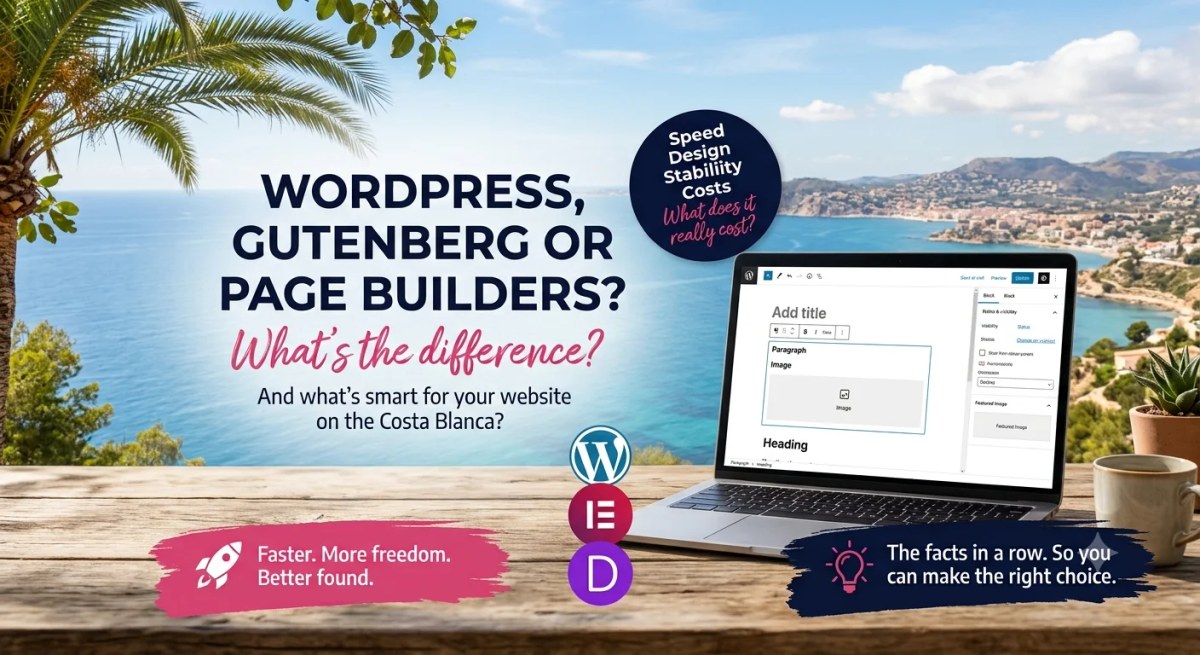
Choosing between Gutenberg and an external page builder is not only about which editor feels easiest to use. The architecture affects maintenance, dependencies, performance and how easily the website can evolve later. For a business website, those technical differences are worth understanding before the build begins.
Start reading up on it and you run into a choice fairly quickly: do you use an external page builder, or do you go with Gutenberg?
Here's what those words mean, what the difference is, and what each one costs you.
WordPress, themes, page builders and Gutenberg explained
A simple comparison makes all these terms easier to follow.
- WordPress: The foundations and the walls of your digital house. It's the system that stores your pages, manages your text and sets the ground rules. More than four in ten websites worldwide run on it.
- The theme: The finish and the furniture. Your theme decides the colours, the fonts and the layout of your pages. Switch themes and the whole look of your site changes. Your content stays where it is.
- An external page builder (like Elementor or Divi): Additional software installed on top of WordPress to build pages visually. Elementor and Divi are common examples. A builder can provide extensive design control, but it also introduces another technical layer, its own components and often additional CSS and JavaScript. The impact varies by builder, configuration and site.
- Gutenberg: The modern editor that comes built into WordPress as standard. You build your pages out of 'blocks' (a paragraph, an image, a button) without needing a heavy external plugin for it. Since 2022 you can edit your header, footer and menu the same way, which is known as Full Site Editing. If you want to see how that works in practice, WordPress explains it step by step in their own documentation.
Why the technical side affects your Google rankings
The technology behind a website does not determine rankings by itself. It does affect factors such as loading performance, stability, accessibility and crawlability. Those are part of a broader SEO foundation alongside content quality, internal structure, authority and local relevance.
- Loading speed. A fast and stable mobile experience matters to users, and Core Web Vitals form part of Google's page experience signals. A good score does not guarantee high rankings, but poor performance can still hurt usability and conversion. Measure the finished pages on mobile rather than judging performance from the editor alone. Core Web Vitals. It counts towards your position alongside your content, your Google Business Profile and your reviews. To see where your own site stands, run it through PageSpeed Insights on mobile.
- Clean code. A well controlled implementation makes maintenance and debugging easier and can reduce unnecessary scripts, stylesheets and dependencies. Google does not award a separate ranking bonus for 'clean code'. For SEO, the important point is that content is accessible, indexable, understandable and useful.
Gutenberg vs. page builders: the facts side by side
1. What about speed?
- Page builders: Performance varies considerably by product and configuration. A feature-rich builder can add more CSS, JavaScript and component logic than a minimal block setup, but modern builders can also load assets conditionally. Measure the actual output instead of assuming performance from the product name.
- Gutenberg: Because the block editor is part of WordPress, a Gutenberg site with a carefully built theme and limited extensions can have a relatively lean foundation. Gutenberg does not automatically make a website fast. Theme quality, hosting, images, plugins, custom blocks and frontend code still matter.
2. What about the design?
- Page builders: Typically provide extensive visual controls, template libraries and ready-made components. That can speed up production and suit teams that need a high degree of freedom in the editor.
- Gutenberg + custom work: Gutenberg is not limited to simple blogs. Block themes, patterns and custom blocks can support a purpose-built design system. The benefit of custom development is not adding more effects, but controlling which components, styles and scripts the site actually needs.
3. How stable is it?
- Page builders: An external builder is an additional dependency alongside WordPress, the theme and other plugins. That means another update cycle and another compatibility layer. This can be managed successfully, but it should be an intentional architectural choice.
- Gutenberg: Gutenberg is maintained as part of WordPress core. A Gutenberg site can still depend on a block theme, custom blocks and plugins. Stability therefore depends on the full technical stack rather than on the editor alone.
4. What are you tied into?
This is where most people get caught out.
- Page builders: Lock-in varies by builder. With some systems the written content remains available when the builder is removed but layout and styling are lost. Other systems use proprietary shortcodes or structures that make migration more labour-intensive. Check the exit path before choosing a platform.
- Gutenberg: Core blocks are stored as WordPress block markup and remain interpretable by WordPress itself, which reduces reliance on one external page builder. Custom or plugin blocks can introduce their own dependencies, so migrations still need planning.
So always ask this before someone starts building for you: what will my website be tied into, and what happens if I stop working with you?
5. What does it cost per year?
- Page builders: The paid version is a subscription you renew every year, often with separate add-ons on top for forms, sliders or an extra template. Stop paying and the updates stop.
- Gutenberg: It's part of WordPress and costs you nothing extra.
What this means on the Costa Blanca
Two things make this region different from the UK or the Netherlands.
First, your visitors. A large share of them search on their phone, on the road between Altea and Calpe, or from a terrace in Moraira on half a bar of signal. On your developer's fibre connection a heavy page feels fine. On that phone your client notices immediately.
Second, multilingual publishing is often important on the Costa Blanca. Dutch, English and Spanish pages should each have their own indexable URL and appropriate content. This increases editorial and technical SEO work, but additional language pages do not automatically make an individual page heavier. Consistent language structure, internal links and hreflang where appropriate matter more.
The rest of your local visibility has nothing to do with your editor. Your Google Business Profile, your reviews and your NAP details do the heavy lifting there. Local SEO for the Costa Blanca: what actually works in 2026 covers exactly how that works. And with more people putting their questions to ChatGPT or reading Google's AI summary instead of clicking, it's worth knowing how to get mentioned in those answers.
I already have an Elementor website. Now what?
Does it work, does it load reasonably and can you edit it yourself? Leave it alone. Rebuild it when you're due for a new look anyway, because switching halfway costs you the same as starting from scratch.
Is your site slow, are you afraid to touch anything, or are you paying yearly licences for things you don't use? Then rebuilding works out cheaper than patching it up for another year.
So what's the smart choice?
For many business websites, Gutenberg combined with a carefully engineered theme and targeted custom development is a strong option when performance, maintainability and independent content management are priorities. It is not a universal rule. A well-built page-builder site can perform very well, while a poorly implemented Gutenberg site can still be slow and difficult to maintain.
The right choice therefore depends on the design, editing requirements, required functionality, technical stack and total cost over the website's lifespan. For SEO, the editor remains only one part of the overall system.
Curious what that looks like for your situation? Have a look at what a website costs with me, or send me your URL on WhatsApp. I'll tell you what your site currently runs on and whether it's worth doing anything about.
Frequently asked questions
- Does Gutenberg come with WordPress by default? Yes. It's been the standard editor since WordPress 5.0 in December 2018. There's nothing to install.
- Can I use Elementor and Gutenberg side by side? Technically you can, page by page. In practice you end up with two ways of working on one site, which gets messy to maintain.
- Does Gutenberg automatically make my website faster? No. It starts out a lot lighter. Add twenty-five plugins and four-megabyte images and it'll still be slow.
- Can I edit my own text in Gutenberg? Yes. Click on the text and type. For a new paragraph, image or button, you pick a block from the list.
- Do I lose my website if I stop working with my developer? It depends on the implementation. Core Gutenberg content remains in WordPress, but custom blocks and themes can have dependencies of their own. With page builders, written content may remain while layout or styling is lost. Ask in advance how portable both content and presentation will be.
Read more: