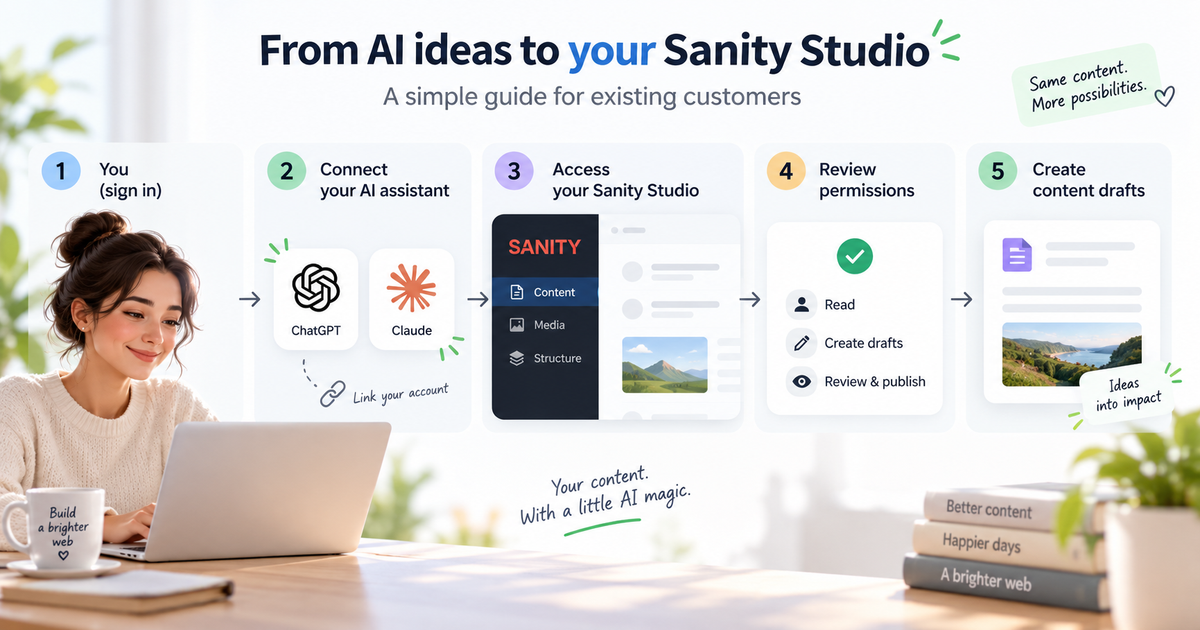
Sanity Studio can be connected directly to ChatGPT or Claude. The assistant can then read existing content, prepare changes as drafts in Sanity and, when you explicitly ask for it and the connected permissions allow it, publish content as well.
This guide is for existing clients whose website already uses Sanity Studio.
Connect ChatGPT to Sanity
1. Open the Plugin Directory in ChatGPT and search for Sanity.
2. Open Sanity and choose Connect. ChatGPT will then open Sanity to confirm the connection.
3. Sign in to Sanity with the same details used for Sanity Studio and complete the connection.
4. Open a ChatGPT conversation and select Sanity from the connected plugins. In interfaces where @Sanity is available, the connection can also be invoked that way.
5. First ask for existing content, such as the titles of the latest three blog posts.
6. A new blog can then be created as a draft or existing content can be updated. If you want to review the change first, state explicitly that it should not be published yet. If you want it published immediately, state that explicitly in your instruction.
Connect Claude to Sanity
1. Open Connectors in Claude and search for Sanity.
2. Open the official Sanity connector and choose Connect.
3. Sign in to Sanity and confirm the connection.
4. Ask Claude to retrieve the existing content first and then make the requested change. You can ask it to save the change as a draft, or explicitly instruct it to publish when the connection and your Sanity permissions allow this.
What the connection can do
The connection can be used for blog posts, copy corrections, metadata, translations, internal links and other content stored in Sanity. On a structured website, the assistant can also update individual fields and document types directly.
For larger changes, a content audit is often the best first step. The assistant can identify missing, outdated or weak content before any document is changed.
Work with drafts or publish deliberately
For important changes, a draft-first workflow is the safest option. Save new or updated content as a draft and review the copy, links, language, metadata and images. After that review, you can publish it yourself in Sanity Studio, or explicitly ask ChatGPT or Claude to publish the approved draft. For example: "Publish this draft now." This only works when the connected assistant has sufficient permissions in Sanity.
This is particularly important for prices, legal information, current data and other content that requires factual review.
Images
An image generated in ChatGPT does not automatically exist in Sanity. When the connection cannot upload new files, the image is first added to the Sanity media library. The assistant can then attach the existing asset to the correct post or page.
If Sanity is not visible
Plugin and connector availability can differ between ChatGPT and Claude plans. First check whether Sanity is offered in the Plugin Directory or connector list.
More background is available in AI in website management.
Maintain local content without doing everything manually
For existing Costa Blanca clients, this is also useful for local SEO and GEO. You can ask the assistant to review an existing service page for La Nucia or Alfaz del Pi, add a new Altea project as a draft or improve metadata for a Benidorm page. Always base the work on real services and genuine local information so the content stays relevant rather than becoming a list of place names.